Get your direct Google review link
Find your Google Place ID, paste it below, and TapM will build the direct Google review link for you.
1
Open Google Place ID Finder
Go to Google's Place ID page: Google Place ID
2
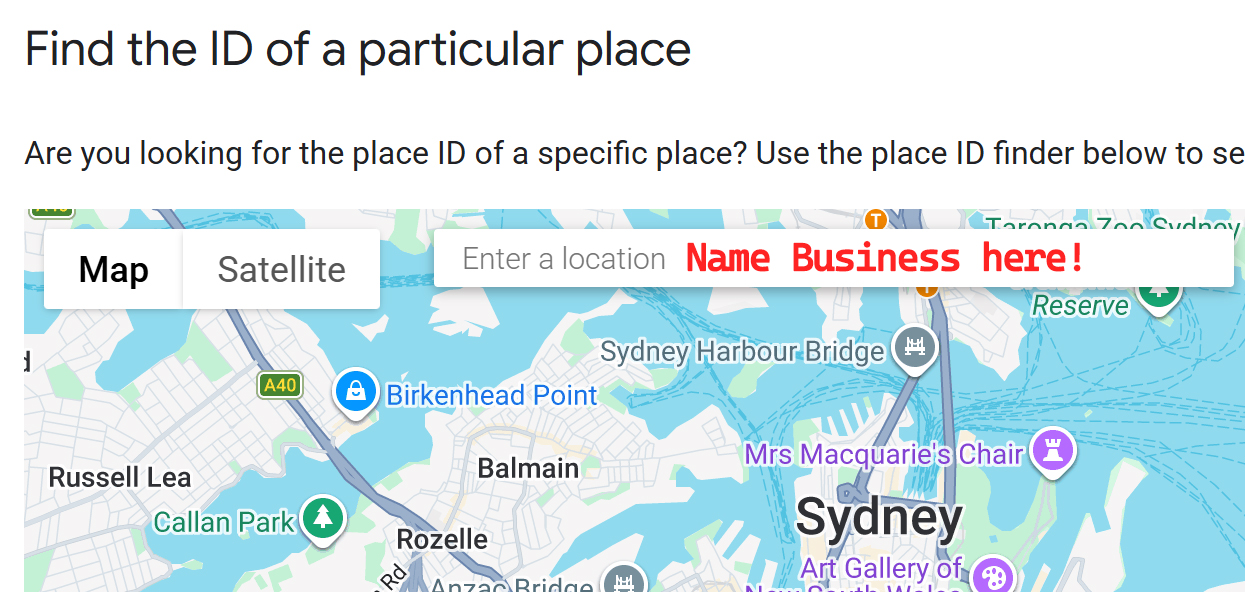
Search for your business
Enter your business name in the search box on the map, then select the correct business location.
3
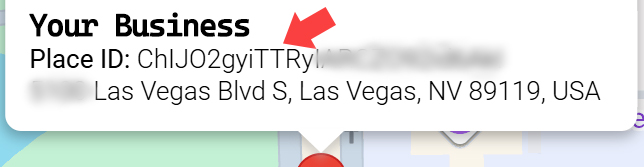
Copy the Place ID
Google Maps will provide the Place ID for the selected business. Copy that Place ID.
4
Enter your Place ID
Paste the Place ID below.
5
Your direct Google review link
The finished link will use this format:
https://search.google.com/local/writereview?placeid=YOUR_PLACE_ID
Tip: After creating the link, open it in a new browser tab to confirm that it loads the correct business review page before adding it to TapM.